For ages, parents have been protecting their children from violence, bad influence, and toxic substances. Today, these minacious threats have transformed into video games and online content. While streaming services provide a PIN-protected feature against R-rated content, they come at high prices. However, some platforms, like Peacock, provide such services at an affordable cost.
Peacock started its journey in 2020 and is stacked with many useful features. Moreover, NBC Universal’s owned streaming service competes with giants like Netflix, Hulu, etc. Today, we’ll discuss whether it is safe for kids. Furthermore, this guide will also shed light on its unique parental control feature and how you can put a PIN on it.

Before getting started, let’s shed some light on the platform’s new subscription plans. Recently, Peacock has purged their free tier plans and only focuses on revenue-based offers. However, the company still provides it at the lowest prices, so check themout here. With that being said, let’s start our guide down below.
Does Peacock provide kid-oriented content?
A platform needs to offer a complete package for its growth in society. It looks like Peacock hacked the code, as it is offering a separate section for kids. This section includes action, comedy, educational, and adventurous cartoons. Moreover, the interface for this section is also simple and easy to access.
It is divided into four categories, and the home page shows recommended, popular, and genre-based cartoons separately. The platform also offers profile-based Maturity Rating settings and PIN protection for other profiles. Let’s talk more about this in the next section of this article.

What is Peacock’s Profile Maturity Rating?
In place of Parental controls, the Peacock provides profile-based Maturity Rating settings. At the time of setting up a profile, the system will automatically give you two options to create a profile, either for kids or adults. Moreover, it will give three categories of maturity ratings based on several age groups. Let’s shed some light on these categories.
For Adults
Steps to change Peacock’s Profile Maturity Rating
The complete procedure can be done in four quick and simple steps:
- Open your web browser and access theWho’s Watching? Profiles page.
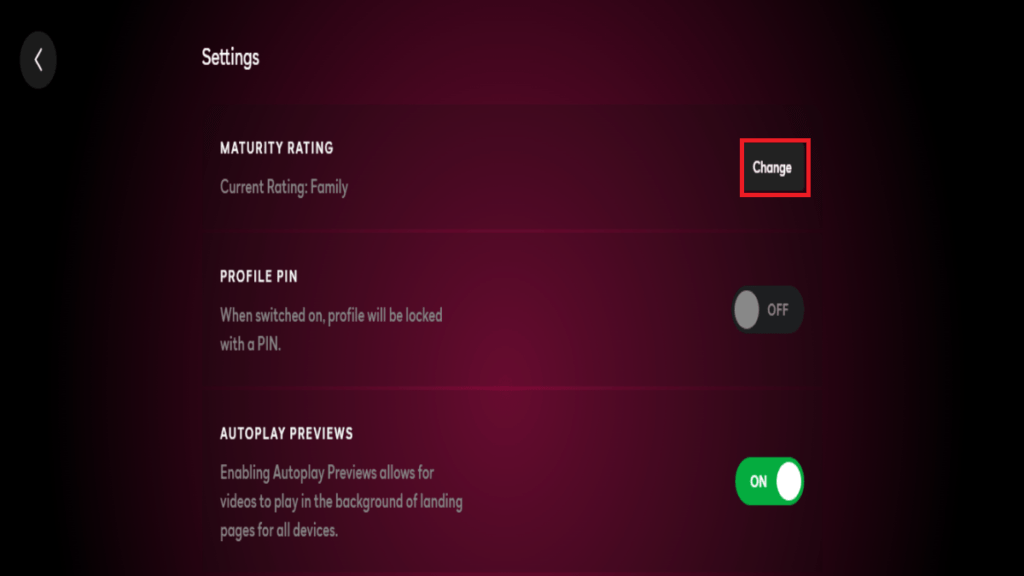
Now click the “Pencil” icon at the bottom of the profile you want to change.
Click the “Change” button next to Maturity Rating and enter your password.
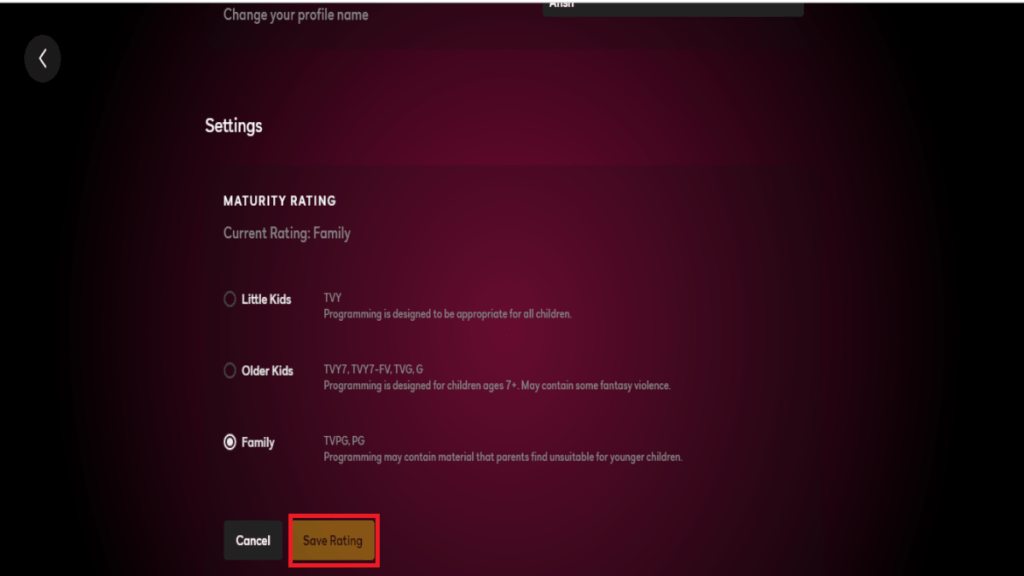
- Finally, select a new rating and press “Save” to confirm the changes.
Now, many users will be wondering if making different profiles isn’t good enough, as kids might access adult profiles. Well, a parent’s mind is always filled up with valid concerns, and to solve this problem, Peacock has provided a PIN protection feature to secure your profile. Now let’s quickly how to set up a PIN on your profile.
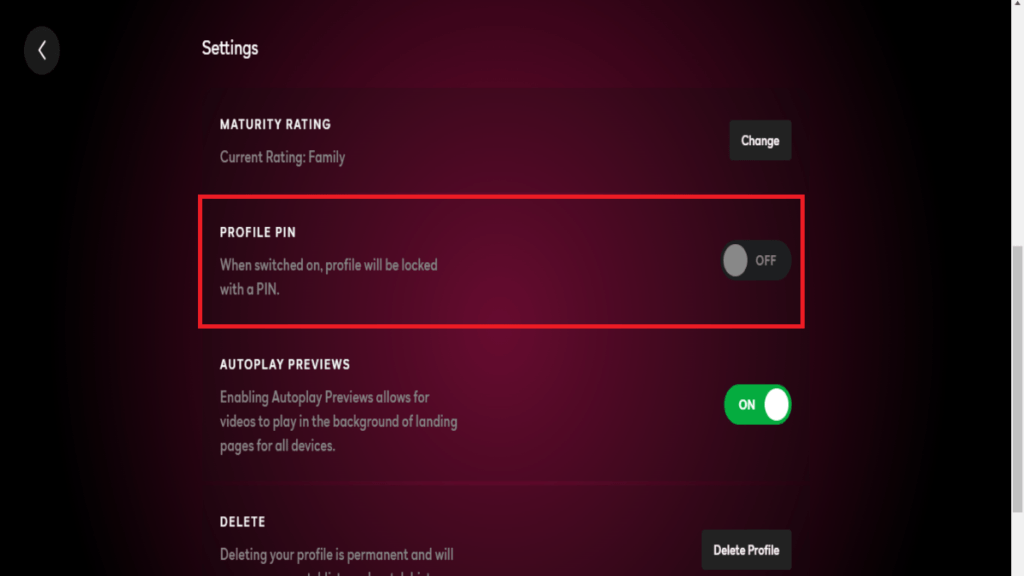
How do I set up a Profile PIN?
In addition to the Maturity rating, Peacock also provides four-digit PIN protection. Moreover, we can access it in four simple steps:
OpenWho’s Watching? Profiles pageon your mobile or laptop browser.
Now tap on the “Pencil” icon below the desired profile.
3. Finally, select “ON/OFF” beside the Profile Pin settings.
- Create a 4-digit PIN code and press “Save” to confirm your decision.
You can also change your PIN by following the same procedure.
That’s all we have for this guide. Let us know your thoughts in the comments section below.
