The Oculus Quest 2, now rebranded as the Meta Quest 2, is a standalone VR headset. Playing VR games on the headset is pretty simple, but it isn’t very easy for a PC. So here is how to play Steam VR games on the Oculus Quest 2.
The headset can run VR games with or without a gaming PC. However, users can’t play heavy-duty VR games on headsets like Half-life Alyx. Users can access the entire Steam VR library once they have connected their Oculus Quest 2 to a PC.

There are two ways to play Steam VR games on the Quest 2 headset: USB cable and Air Link (wireless). However, you might notice a lag even if you have a fast 5G connection. You’ll also need a computer meeting Quest 2’s minimum system requirements.
Play Steam VR games on Oculus Quest 2
USB-C cable
1. InstallSteam VRand theQuest PC app.
- Connect the Quest 2 to your PC using a USB-C cable (A USB 3.0 cable is preferable).
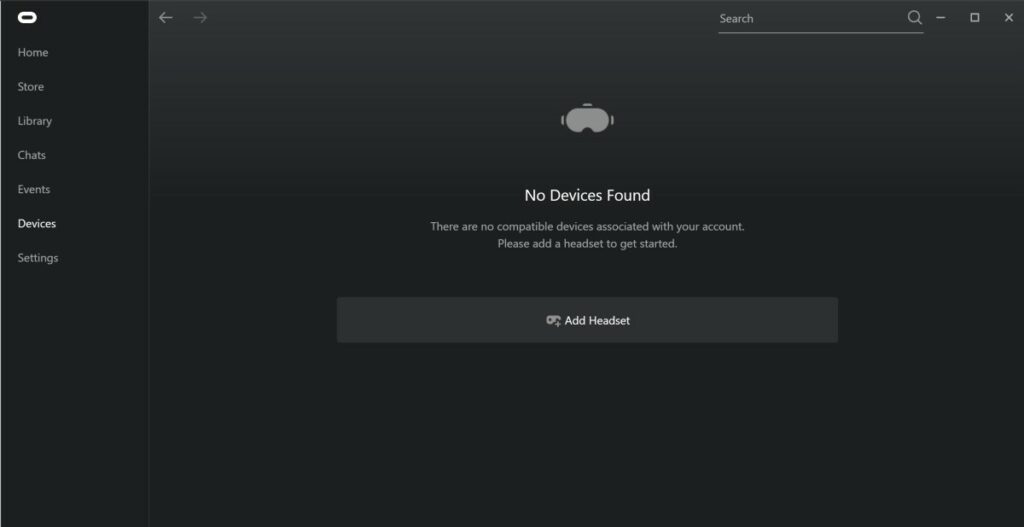
3. Open the Quest desktop app, go toDevices,and selectAdd Headset.
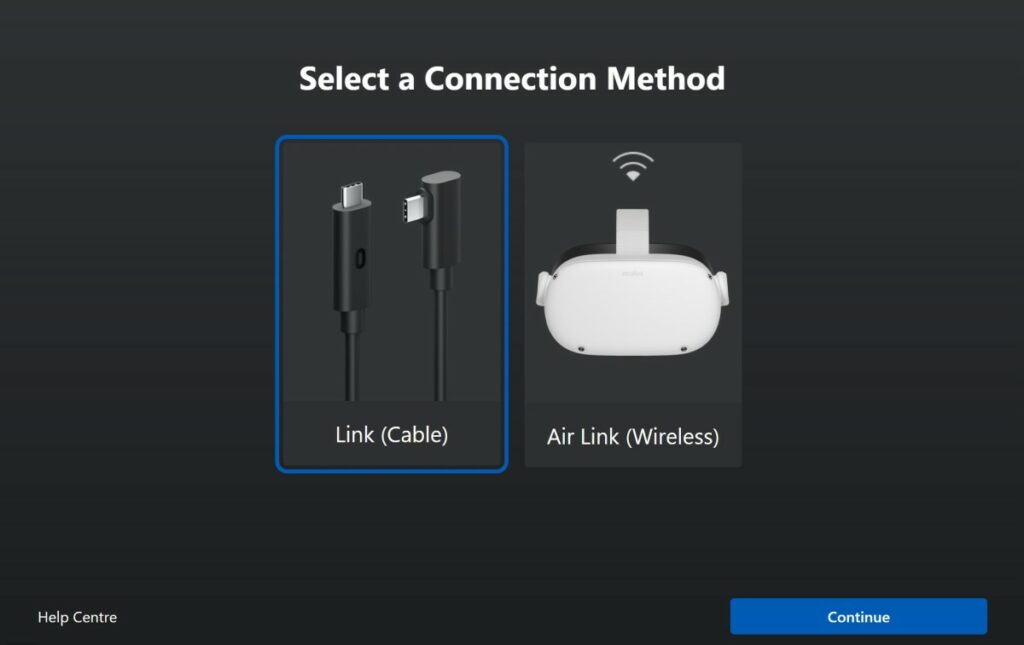
4. SelectQuest 2and chooseLink (Cable).
Your desktop will appear in your headset, so open up Steam VR.
You can now play Steam VR games on the Oculus Quest 2.
Air Link (wireless)
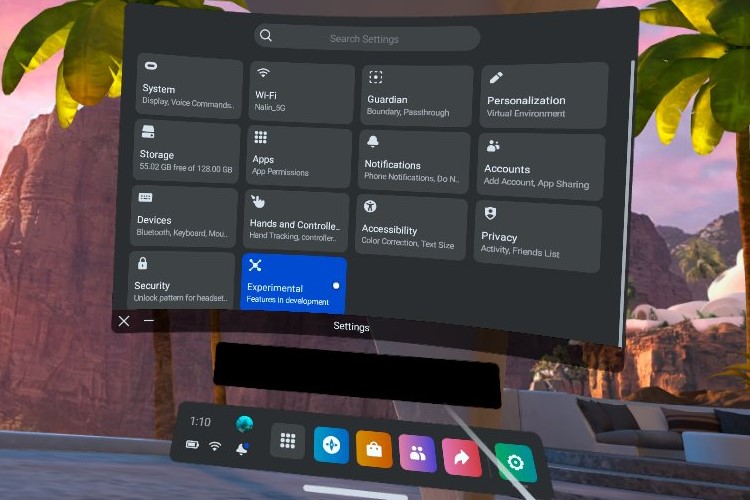
- Put on your Quest 2 and go to the Settings menu.
Note:Ensure your PC and headset are connected to the same Wi-Fi.
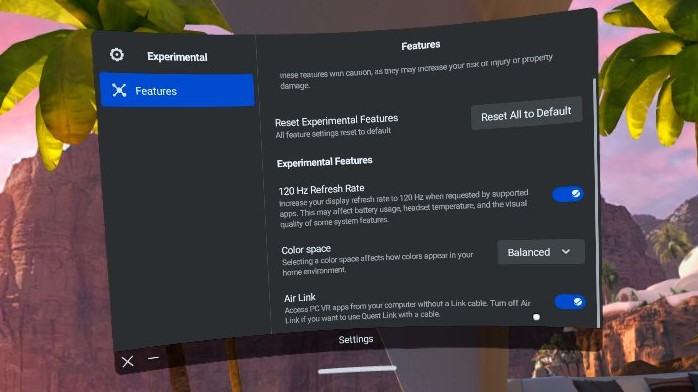
3. Go toSettings>Experimental featuresand enableAir Link.
From the Quick Settings menu and select Air Link.
Connect to your PC, and your desktop will appear in your headset.
6. Launch Steam VR toplay SteamVRgameson theOculus Quest 2.
Play SteamVRgamesonOculus Quest 2using third-party apps
Many Quest 2 users have also used third-party apps like Virtual Desktop and ALVR. These apps have been around since before Air Link was a thing and are more stable. you’re able to buy Virtual Desktop directly from the Oculus Store or get ALVR free through sideloading.
You can also check out thebest VR gamesto play on theQuest 2. We also have an article on thebest free VR gamesif you want to save some money.