There’s no doubt that YouTube is the most popular video platform in the world today. Since its launch in 2005, it has come a long way to become an essential online service. Most of us can’t imagine going a few days without YouTube, and reasonably so.
Credit to its popularity, there are billions of clips currently hosted on the video-centric social platform. As perStatista, users uploaded around 720K hours of video content on YouTube every day last year. That’s a staggering 500+ hours of content uploaded per minute.

Due to this massive library of content, the YouTube video catalog covers a wide variety of topics and themes – a significant amount of which might not be suitable for everyone. Although YouTube does its best to identify every age-restricted video so that it can give you a warning when you attempt to access such a video, a few of them might still slip through the cracks.
YouTube Restricted Mode Guide
What Is Restricted Mode On YouTube?
To prevent incidents where YouTube might accidentally show you mature content without warning, you’re able to resort to the “Restricted Mode” setting. Restricted Mode is an optional feature that tells YouTube to double down on blocking potentially inappropriate videos.
Essentially, this increases the platform’s vigilance towards accidentally streaming age-restricted videos. Restricted Mode also disables the comment section by default. So, if any minor is surfing the site with this feature enabled, there are chances of stumbling upon any mature content.
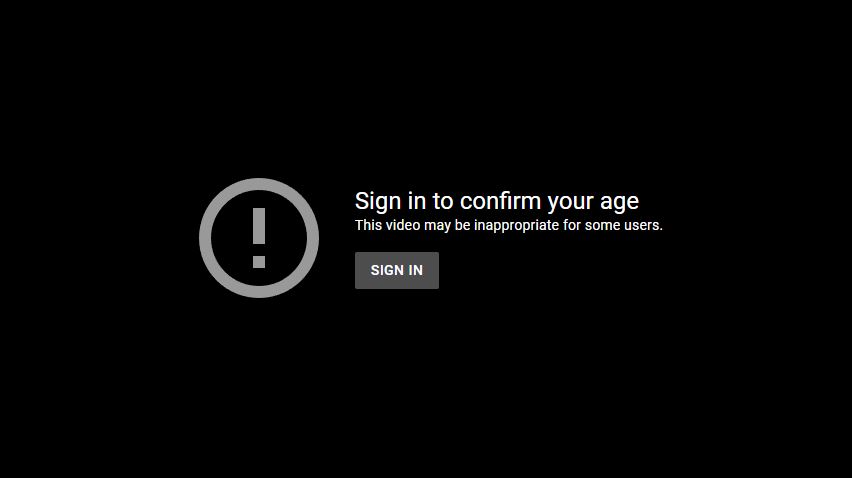
If you have enabled this feature for your YouTube account on a particular device, it will only work on the YouTube app for that device. To turn on Restricted Mode on multiple devices, you will have to enable it separately on each device. On desktop/laptop, you have to enable it separately on each browser and each profile (if your browser supports more than one profile).
However, since this feature makes YouTube extra-cautious about a particular kind of video, there is a slight possibility that the platform might incorrectly block a few suitable videos as well.
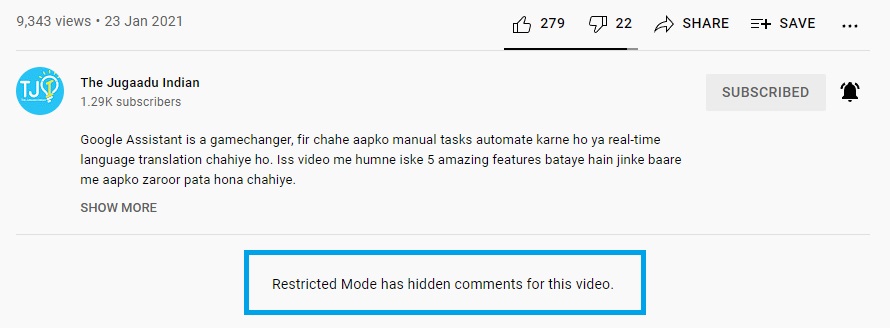
Is YouTube Restricted Mode Effective? How Does It Work?
YouTube’s Restricted Mode feature focuses on various parameters to determine if a video is meant for mature audiences. Every video on the platform has relevant information, such as video titles, descriptions, tags, Community Guidelines reviews, etc. YouTube goes through to find out which age group the content is suitable for. Any factor that suggests a video might contain age-restricted material results in Restricted Mode blocking that particular video.
However, no technology is perfect, and this stands true in the case of Restricted Mode as well. Despite being available for all languages, the experience with this feature varies due to different cultural norms across groups that speak different languages. Also, check out our article onwebsites like youtubethat you can use without ads.
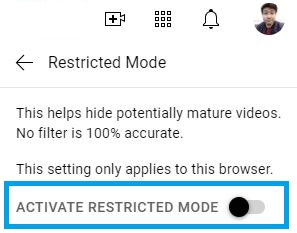
How To Enable or Disable Restricted Mode On YouTube?
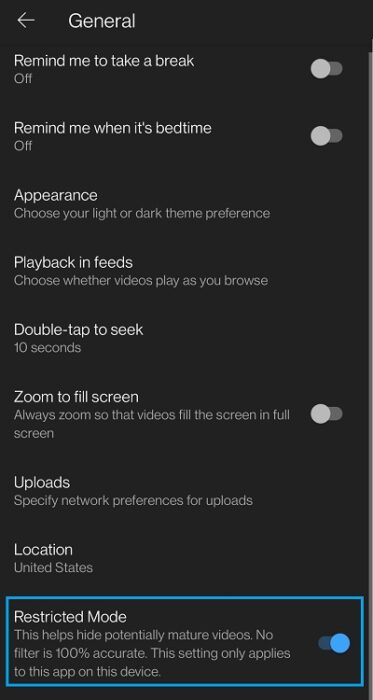
Accessing this feature on a desktop or smartphone is very easy and can be done in a few clicks/taps. Just go through the following steps to turn on/off YouTube Restricted Mode on your preferred device:
Enable Restricted Mode on Desktop or Laptop
Enable Restricted Mode on on Android and iOS
Hopefully, this guide helped you know more about the Restricted Mode feature. If you’re facing a problem with YouTube not working, you canfind help here.
Restricted Mode blocks you from viewing mature content on YouTube. This setting might be readily enabled on computers in public places. If you’re unable to turn it off using the steps shown in this guide, try contacting the system administrator. Also, verify you’re not using YouTube on an account restricted by a parent account via theGoogle Family Linkapp.
Yes, it is completely legal to watch whatever age-restricted video is out there on YouTube. However, the platform verifies your age before letting you watch any such video.
If you’re an adult, you can watch age-restricted videos on YouTube by simply logging in and confirming your age.
If you like this simple explainer, check out ourShort Bytessection. We take complex tech topics and break them into short, easy-to-understand articles.
